Updating Tire / Rim Record
These are the steps for updating your tire and rim record. Click the tire/rim record on your navigation
You will see the product listing select the product that you want to update

Notice the 4 icon
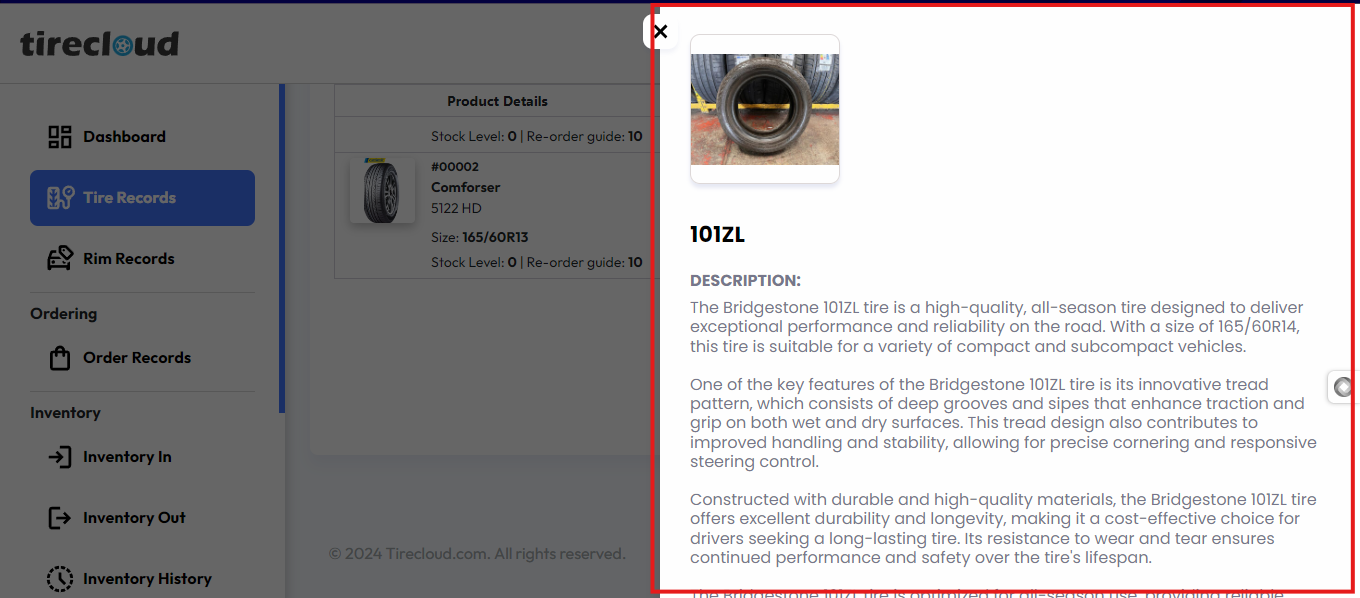
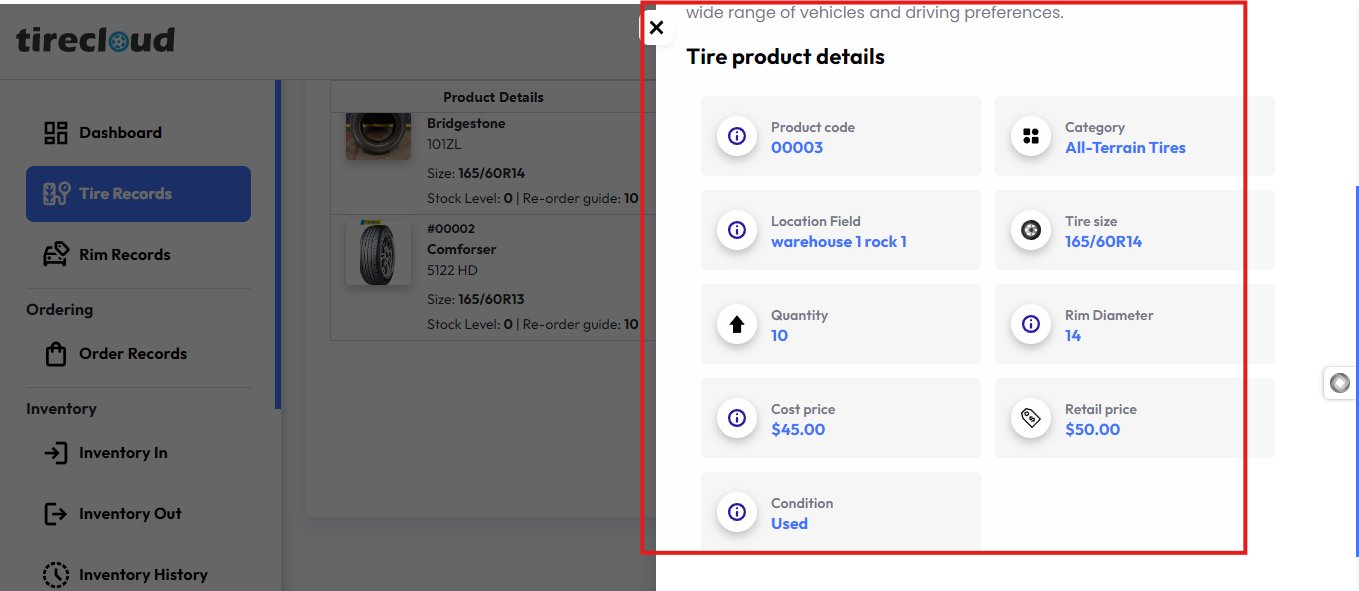
Eye Icon
shows product description and product details information
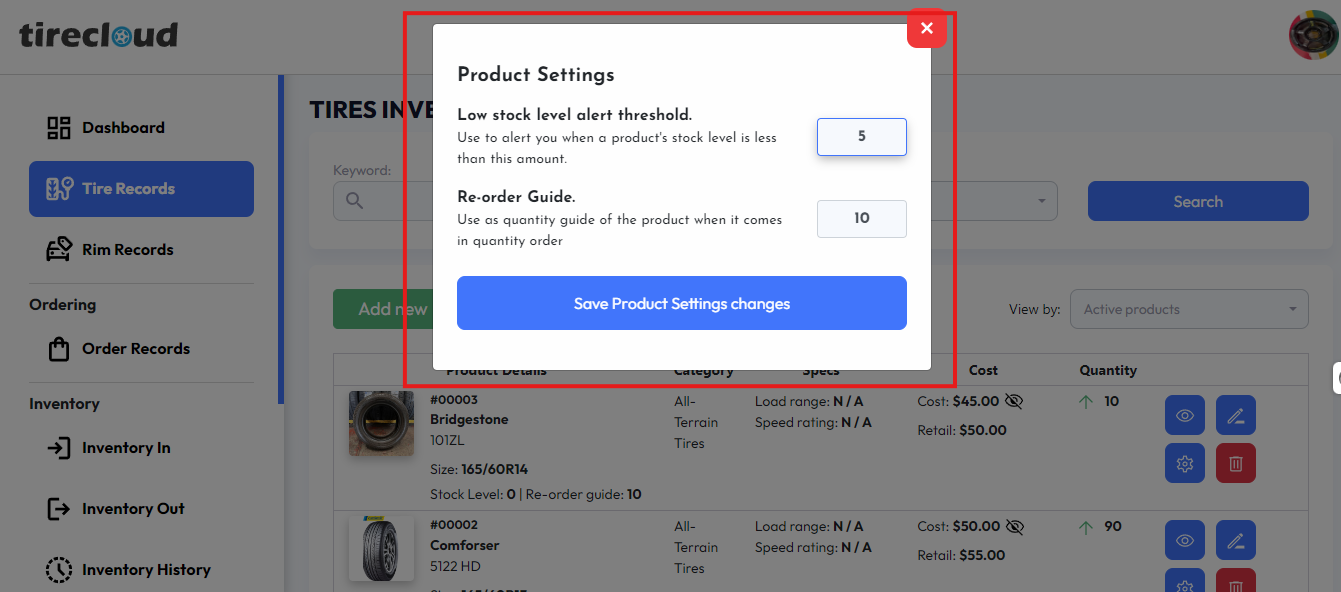
Gear / Product setting Icon
this allows the user to set a Low stock level alert threshold and Re-order Guide. you can set your desired value for your desired setting on the Low stock level alert threshold and re order guide after finalizing your desired value click the save product setting changes to save your changes
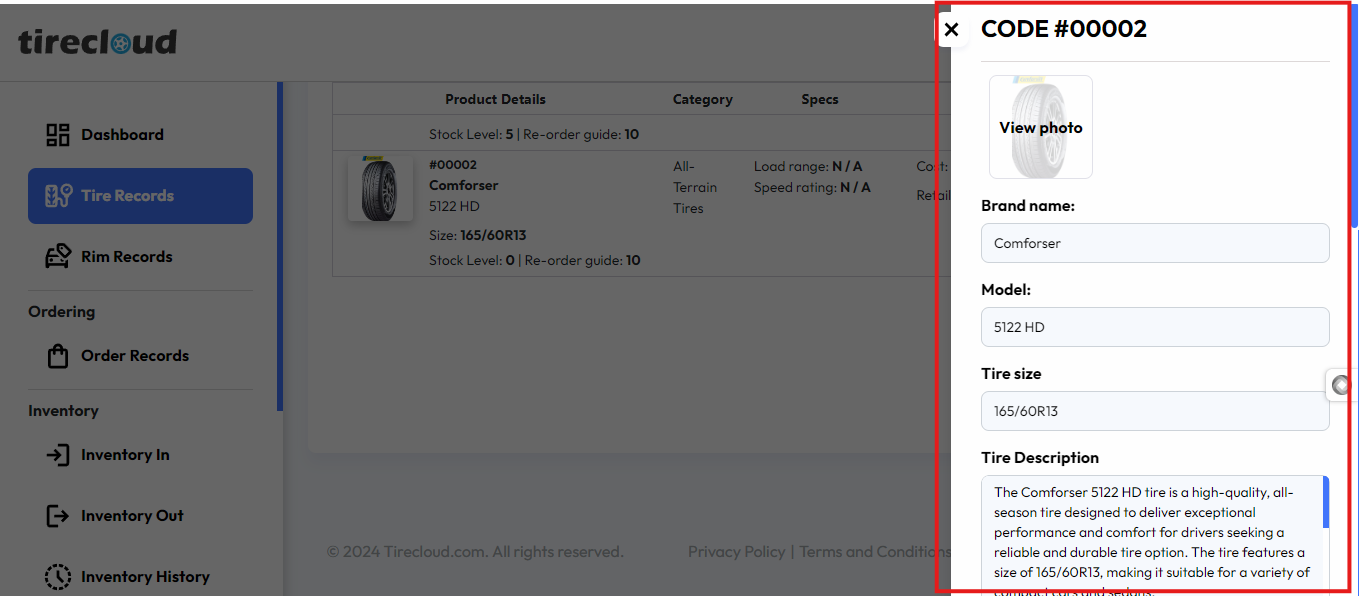
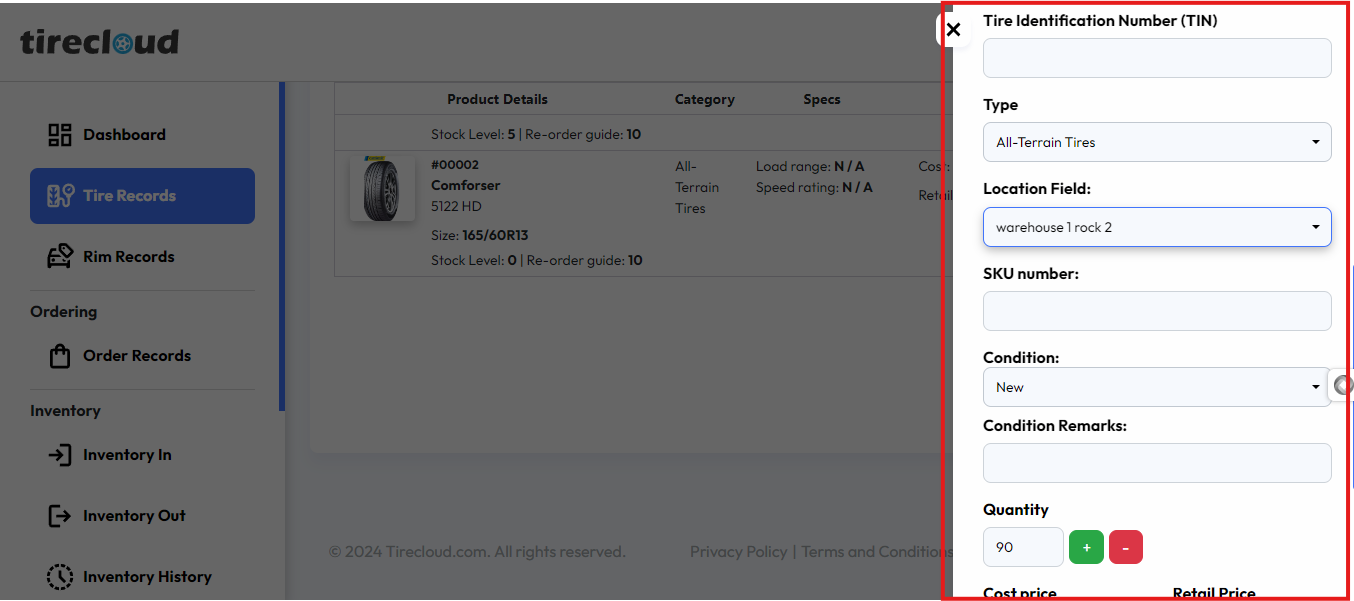
Pen Icon
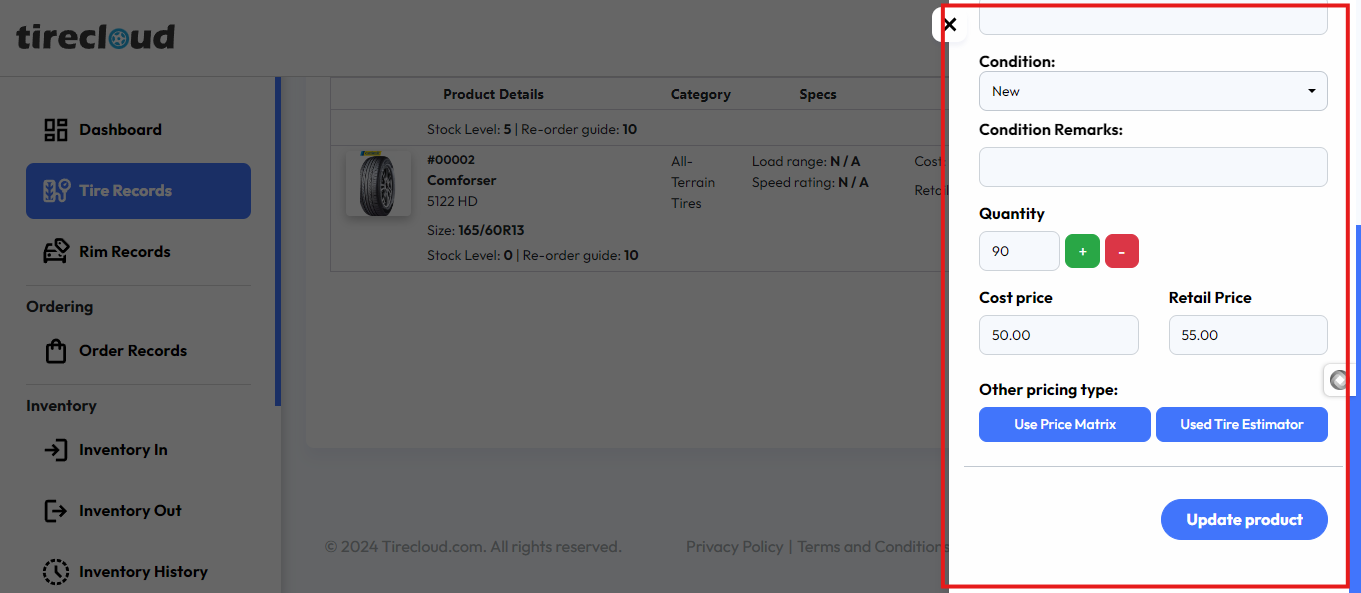
This allows the user to edit the information on the tire/ rim product
Once you finalize the information click update product to save the changes
Trash Icon
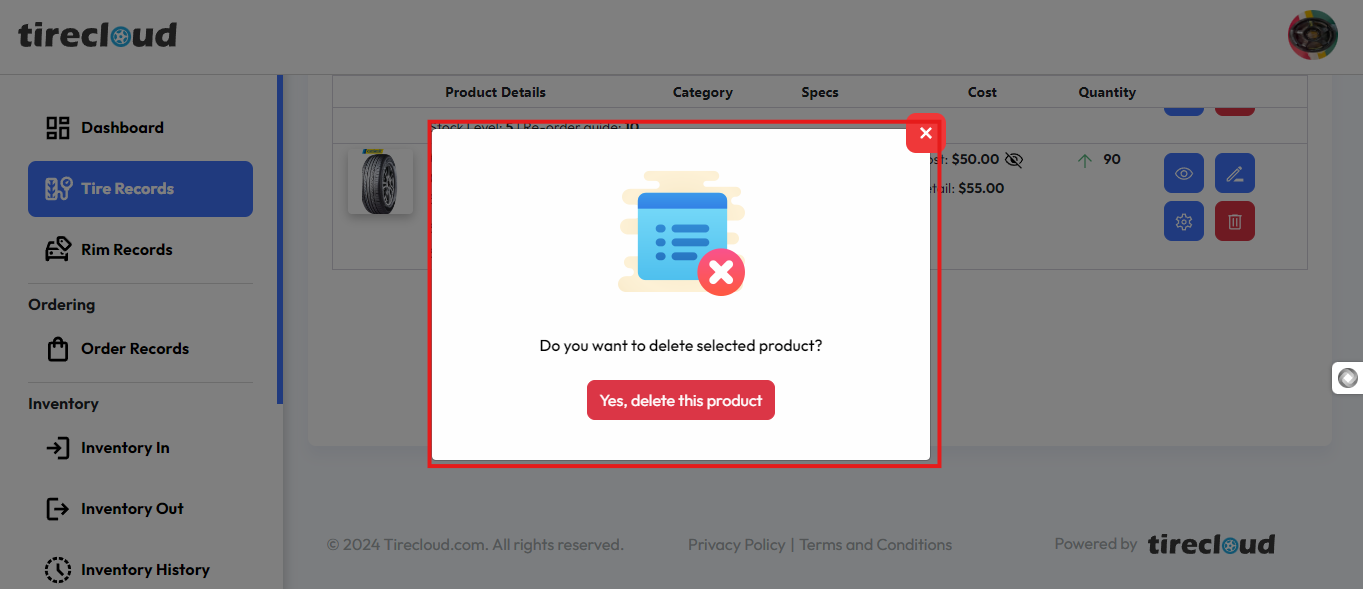
Clicking the trash icon allows you to delete a product listing.
By clicking Yes delete this product button delete a product listing
Those are the process of Updating the tire / Rim Record