How to Add a Tire List to the Inventory: A Step-by-Step Guide!
Follow these simple steps to add a tire to your inventory list. This guide will help you fill out each field correctly, ensuring all necessary information is included for easy tracking and sales management.
To add a tire list to the inventory, navigate to the tire Record click “Add New” and the Add New Tire Form will Open
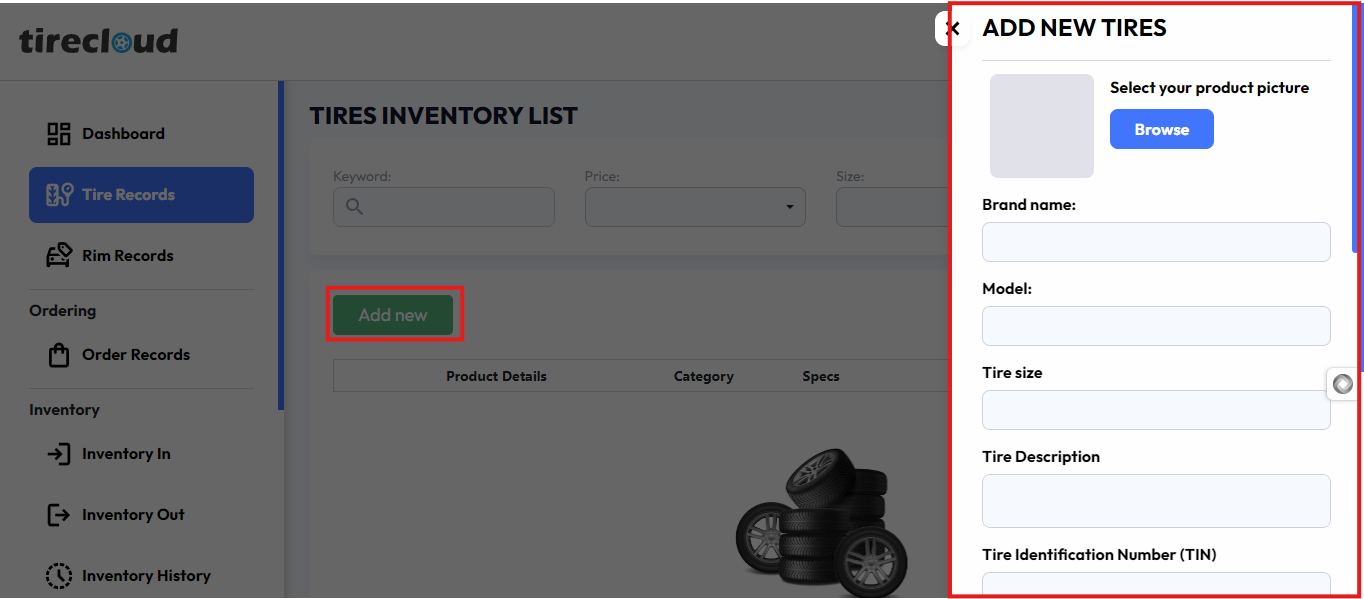
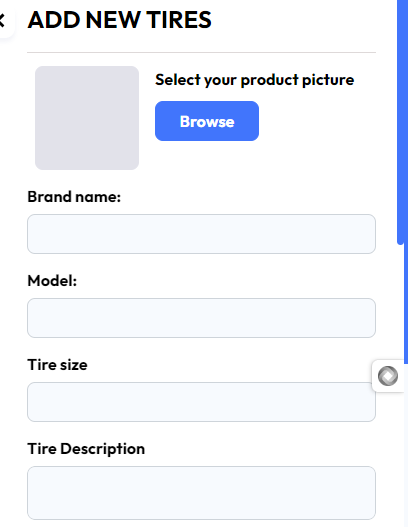
Select Your Product Picture
Upload a clear image of the tire you want to add. This will help users identify the product visually.
Brand Name
Enter the manufacturer or brand of the rim (e.g., Michelin, Goodyear). This helps customers recognize well-known brands.
Model
Input the specific model name of the tire. This ensures detailed product identification (e.g., 'Sport Pro X').
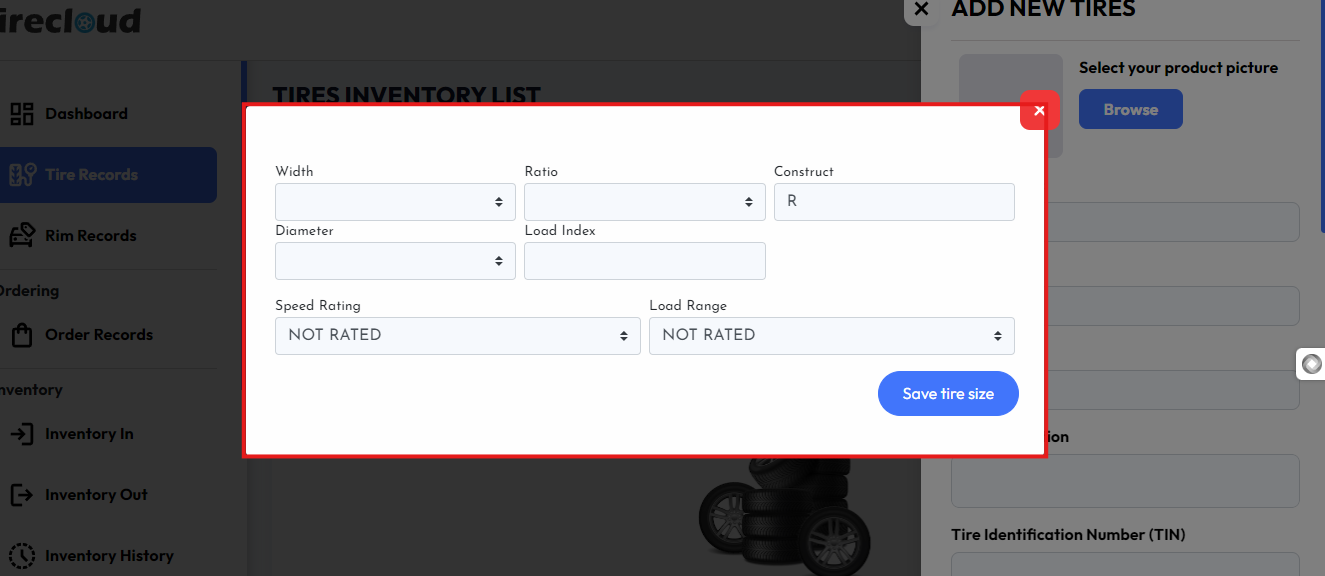
Tire Size
Tire size is a standardized label found on the sidewall of tires that describes the dimensions and characteristics of the tire. This includes width, ratio, construction, diameter, load index, speed rating,
Load range, fill in this information, and click the save tire size button
Tire Description
Write a brief description of the tire features or design, depending on the subscription tire subscription can easily be generated using AI.
Tire Identification Number
The Tire Identification Number (TIN) is a unique code found on the sidewall of a tire, used to identify important details about the tire's manufacture
The Tire Identification Number (TIN) is a unique code found on the sidewall of a tire, used to identify important details about the tire's manufacture. It is required by the U.S. Department of Transportation (DOT) and helps track tire recalls, defects, and age. Here's how it is structured:
Example: DOT U2LL LMLR 2919
DOT – This indicates the tire complies with all safety standards established by the U.S. Department of Transportation.
Plant Code (U2) – The first two characters after "DOT" are the manufacturer or plant code. It identifies where the tire was made.
Tire Size Code (LL) – The next two characters identify the tire size. This is assigned by the manufacturer.
Brand Code or Optional Code (LMLR) – These four characters are used by the manufacturer to identify other significant features such as the brand or the tire's construction.
Date Code (2919) – The last four digits represent the week and year of manufacture:
29 – This indicates the tire was made in the 29th week of the year.
19 – This indicates the tire was manufactured in 2019.
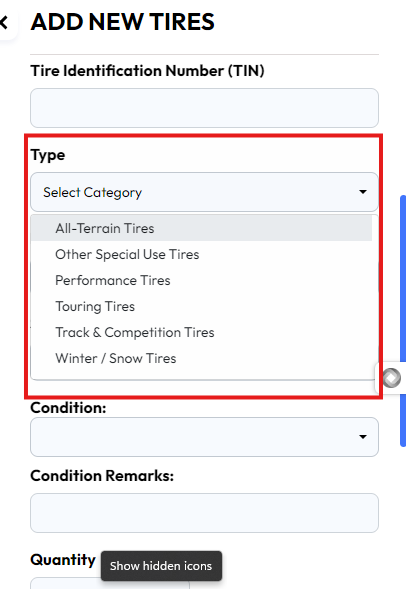
Type
Tires are classified into different types based on their design, intended use, and vehicle compatibility.
This part of the form has a drop-down menu where you can find the type of tire
Location Field
Enter where the rim is stored (e.g., Warehouse A, Section 3). This helps you keep track of stock locations.
SKU Number
Input the Stock Keeping Unit (SKU), a unique code that helps in tracking and managing the rim (e.g., RIM-2024-18A).
Condition
Select whether the rim is New or used. This provides transparency about the product's quality.
Condition Remarks
Add any specific remarks about the condition (e.g., "Minor scratches," "Like new"). This helps set customer expectations.
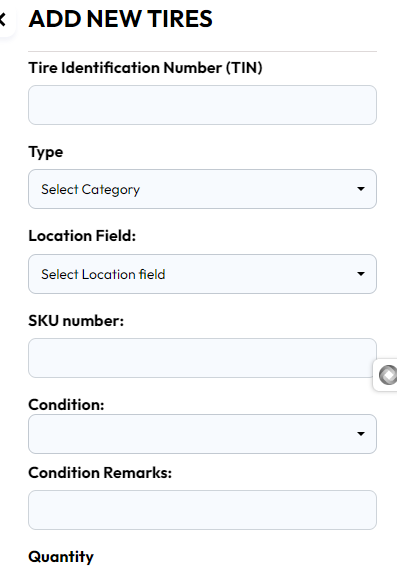
Quantity
Input the number of tires available in stock (e.g., 12). This helps you manage inventory levels.
Cost Price
Enter how much the tire costs you (e.g., $120). This is for internal use when calculating profit margins.
Retail Price
Input the selling price to the customer (e.g., $200). This is the price that will be shown to customers.
Other Pricing Type
If applicable, include any additional pricing information (use price matrix use rim estimator ).
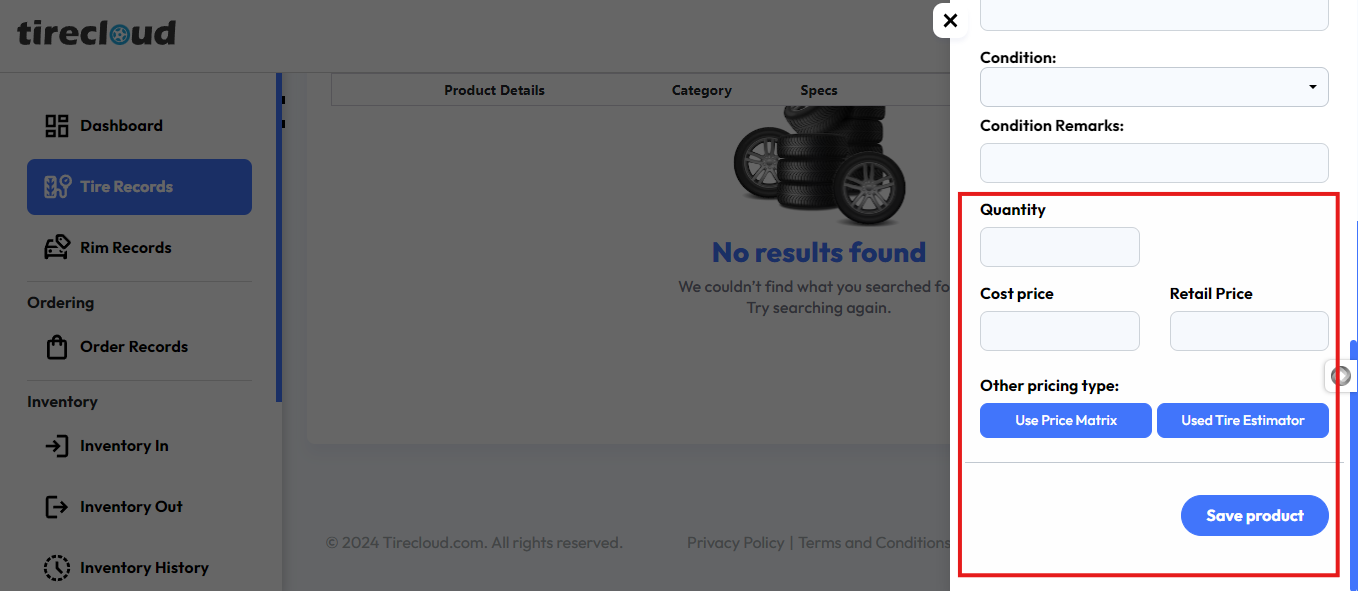
Once all fields are filled, save the information, and the tire will be added to your inventory list, which is ready for tracking and sales!
This process ensures you have all the essential details about each tire product, making inventory management smoother and more efficient.