Price Matrix
Price Matrix allows Tire Cloud to establish different price points for tires and rims depending on predefined criteria.
To customize your price matrix on your navigation menu click Price Matrix
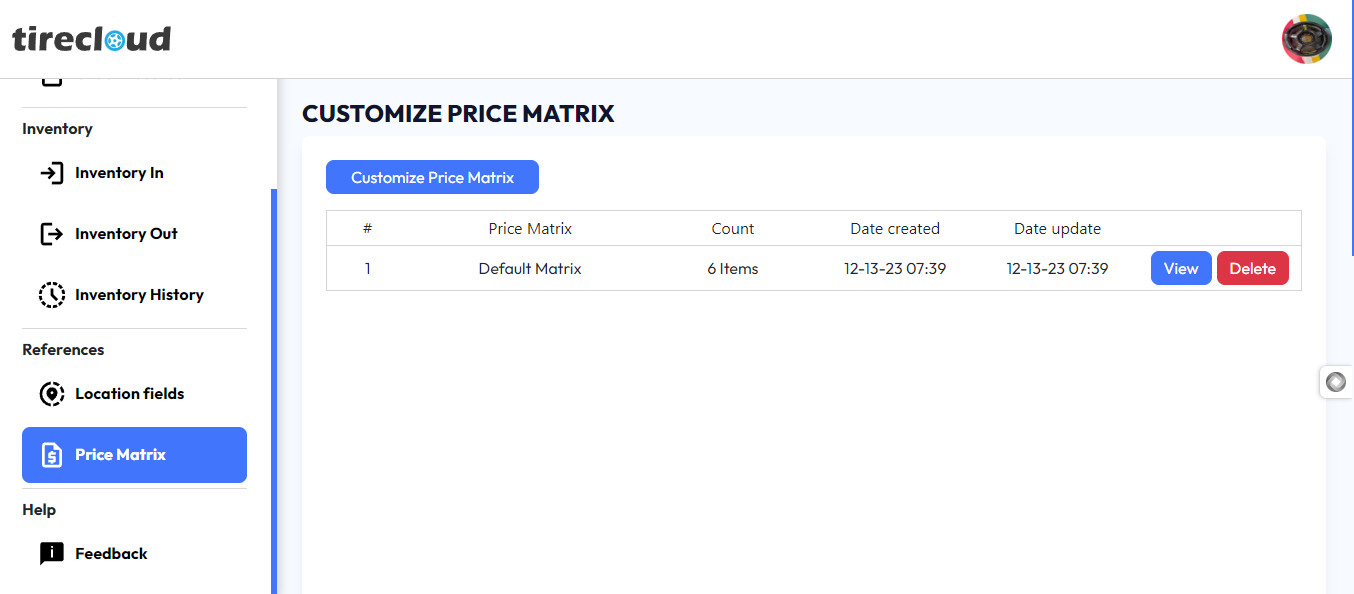
Price Matrix Interface
On Customize Price Matrix Interface you have the following
Blue Button (Customize Price Matrix) clicking this button will open a popup window for customizing the price matrix
A table for the price matrix
View/Delete option this two-button can view or delete the price matrix
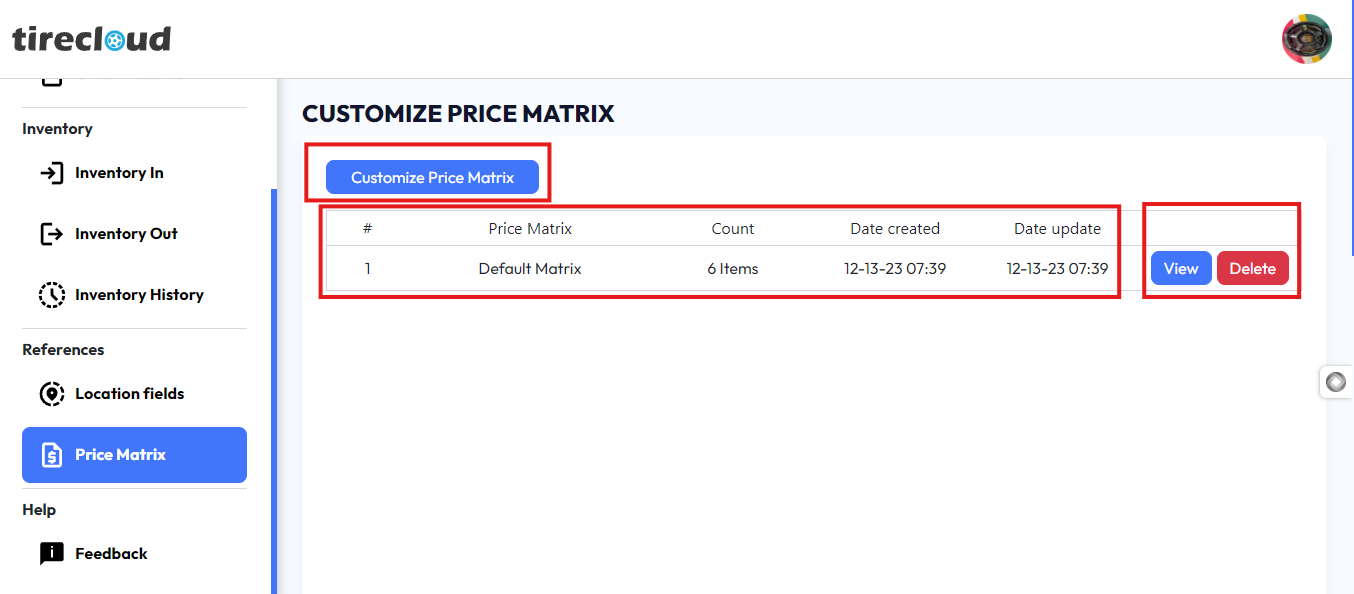
Explaining Tire Cloud Price Matrix
To explain the Tire Cloud price matrix, click the blue view button on the right corner of the table
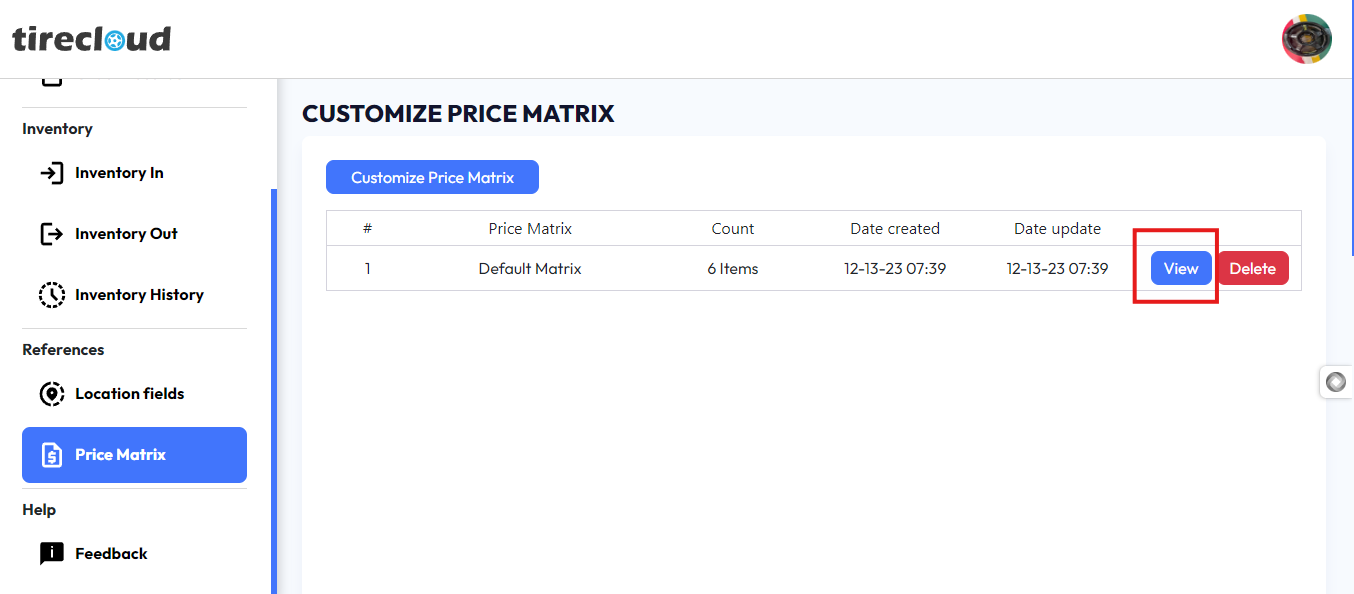
Clicking the button will open a pop-up that displays the default Price Matrix
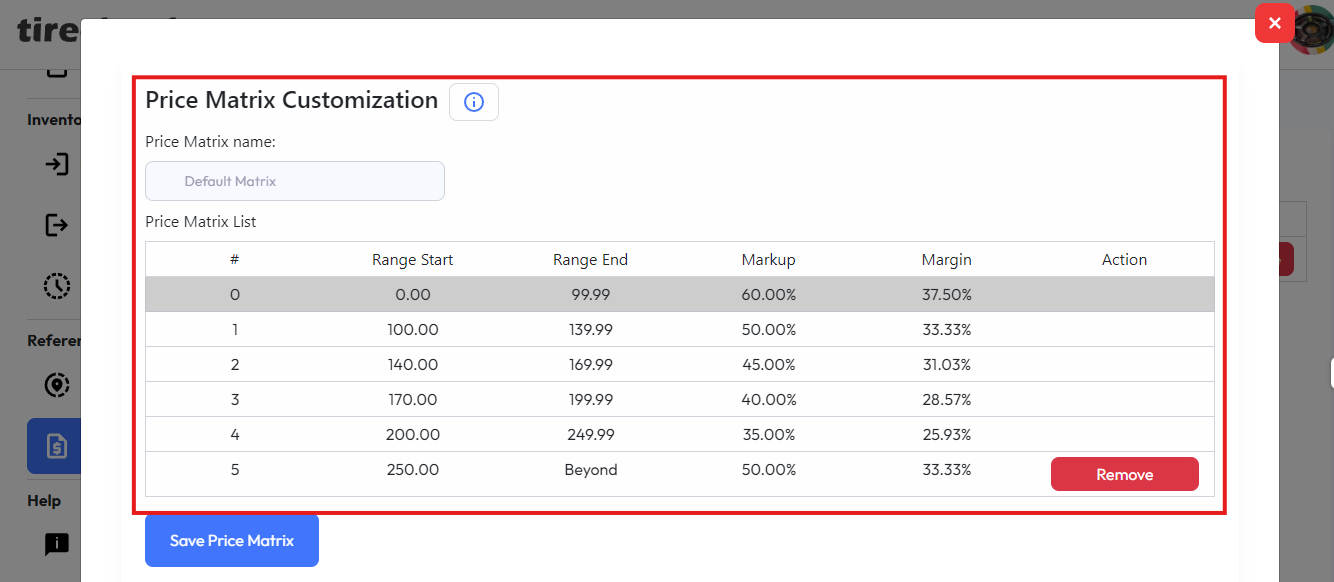
In the image, you are looking at a Price Matrix Customization table, which breaks down pricing into ranges based on price points, along with markup and margin values. Let’s go over the key components:
Range Start & Range End: These columns define price ranges. For example, if an item’s cost falls between $0.00 and $99.99, it will follow the first row's pricing rules.
Row 0 applies to items priced between $0.00 and $99.99.
Row 1 applies to items priced between $100.00 and $139.99, and so on.
Markup (%): This is the percentage increase added to the base cost of the product to determine the selling price. The formula for calculating the selling price with markup is:

For example, with a cost price of $50 and a markup of 60%, the selling price would be:

Margin (%): This is the percentage of the selling price that is profit after covering the cost. The formula for margin is:

For example, if the cost price is $50 and the selling price is $80, the margin would be:

How the Table Works:
Row 0 (0.00 to 99.99): The markup is 60%, so an item costing $50 will be sold at $80, and the margin would be 37.5%.
Row 1 (100.00 to 139.99): The markup is 50%, so an item costing $100 will be sold at $150, giving a margin of 33.33%.
General Formula:
Selling Price = Cost Price × (1 + Markup %)
Margin % = (Selling Price - Cost Price) ÷ Selling Price × 100
The markup and margin percentages work together to ensure the company profits while providing competitive pricing within each range.
Customizing Price Matrix
To Customize the price Matrix, follow these Steps
1. click the Customize Prize Matrix Button
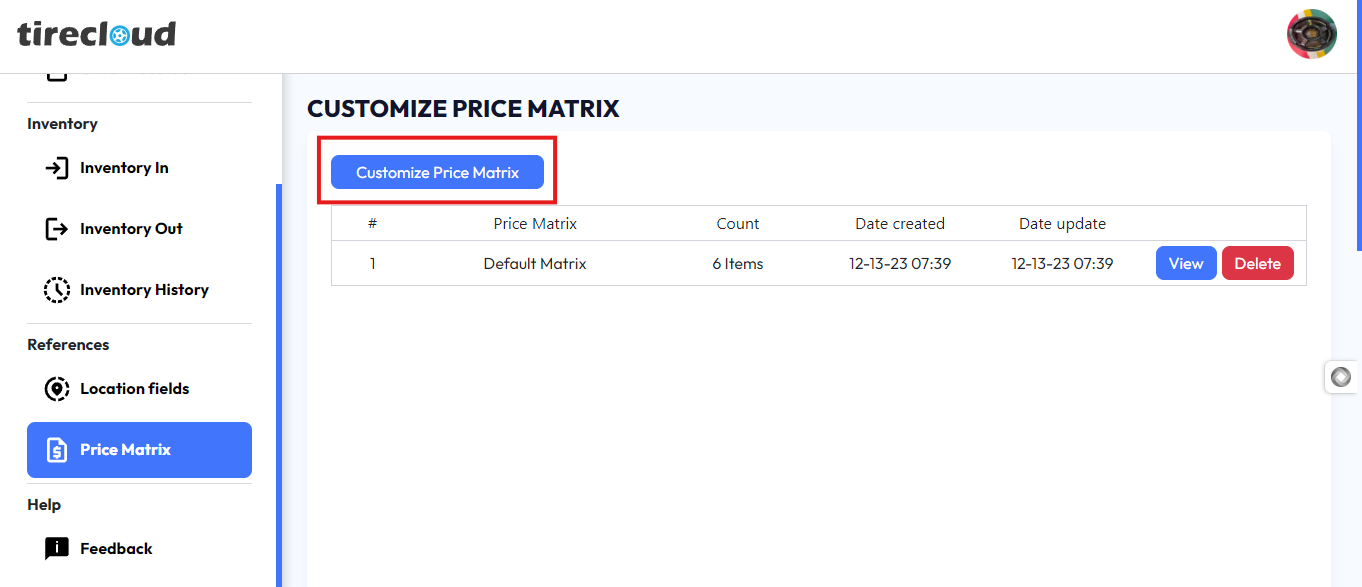
Clicking the Customize Prize Matrix Button will open a pop-up window for Price Matrix Customization
Note and Follow the Price Matrix Instruction
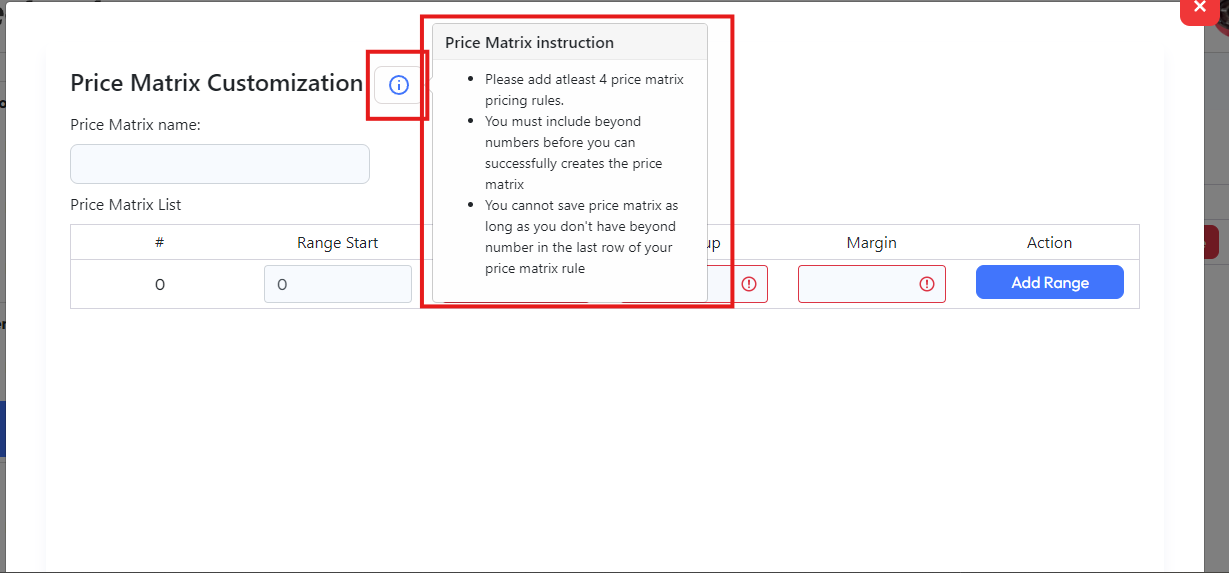
Price Matrix instruction
Please add at least 4 price matrix pricing rules.
You must include beyond numbers before you can successfully create the price matrix
You cannot save the price matrix as long as you don't have beyond number in the last row of your price matrix rule
2. to add a price matrix fill in the price matrix name and attest 4 price matrix pricing rule
3. Once the 4 price matrix pricing rule is added a checkbox for beyond will appear checking the checkbox will put beyond/999999999 on the range end
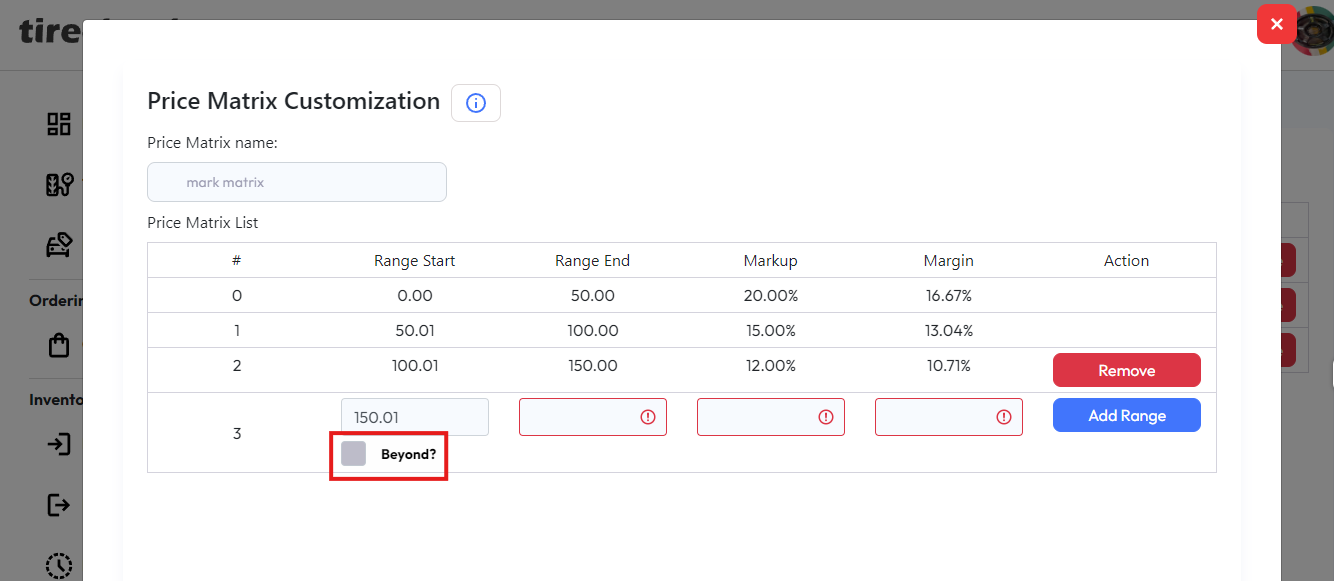
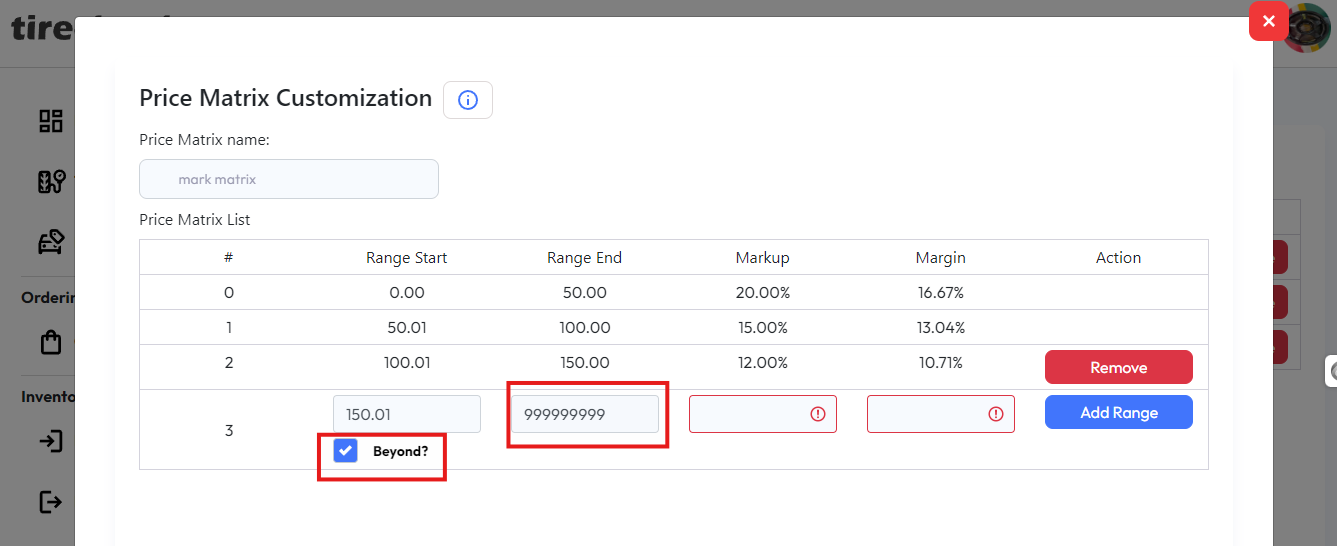
4. finalize the 2 remaining markup and margin
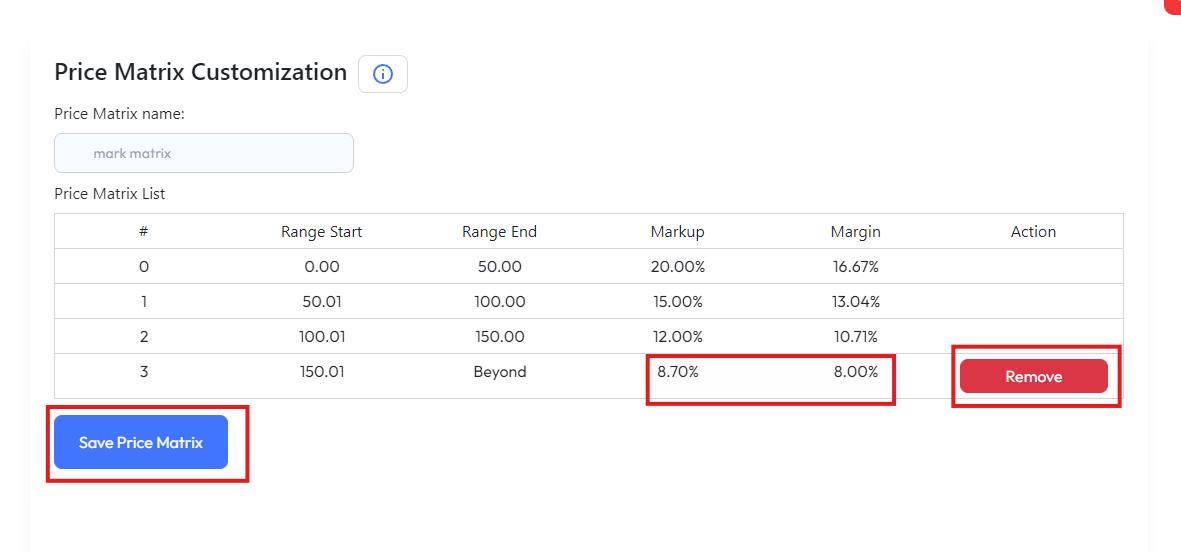
To edit/update a pricing rule on the table click the remove button to remove a pricing rule table
5. Once all the pricing rules have been finalized Click Save Price Matrix to save your price matrix